Showing posts with label Guide. Show all posts

Sunday, December 6, 2009

Official Warcraft 1.24c Patch Installation Guide (offline)

Official Warcraft 3 TFT 1.24c Patch Installation Guide using Patch File. Blizzard has released the latest Warcraft 1.24c Patch with several game fixes, updates and new maps. Players are upgrading to the latest patch so they can play online/offline without any problems. Most of the players don't have original copy of Warcraft so, they need to installWarcraft 3 v1.24c patch using offline upgrade file from Blizzard's FTP. Check the Warcraft 1.24c Patch offline installation guide.

Patch Download:

- Standalone 'Full' Upgrade Patch (recommended):
Download this patch, if you are upgrading from an older version.
War3TFT_124c_English.exe (mirror 1)
War3TFT_124c_English.exe (mirror 2)
War3TFT_124c_English.exe (mirror 3)

-Upgrade Patch:
If you are upgrading from v1.24b to v1.24c then download the upgrade file below:

War3TFT_124b_124c_English.exe (mirror 1)
War3TFT_124b_124c_English.exe (mirror 2)
War3TFT_124b_124c_English.exe (mirro


Guide, How to install Warcraft 3 TFT v1.24c Patch using Installation file:
• Download Warcraft 1.24c patch upgrade file using the links given above.
• Run the patch file, you downloaded.
• You will be upgraded to the latest patch.

If you see any errors like "Registry error loading key 'Warcraft III\InstallPath''. This means you do not have Warcraft 3 registry entries, You can easily make it by reading this guide.

If you will have any problems or errors, you can post your problem here by using comment form.

Thursday, September 24, 2009

How to make garena hostbot

Autor: GhostOne
Release Date: right now
Version: 1
Game Version: 1
1 you need to download GhostOne from
http://www.maxdevlon.com/ghost/ghostone1.6.255.zip


2 set up ghost one in option menu for:
a . your warcraft 3 path
b . your Garena path (must be orginal)
c . your map path

3 start ghostone, start Garena, click Hook Garena from option menu
(ghost one will appear a message in main menu to say hook successful)
4 join a room and open war3

5 in ghostone map menu select a map and click create map config then click load map

6 click rename set map name to dota663b

7 go back to main menu in ghostone command line type : load dota663b (some info will appeared)
then type: pudg omfg
(will say create game succesful)

8 back warcraft , you will see a host name: omfg
join and have fun


for admin command:

you need to put your wc3 name such as cqccyh01 in ghostone main menu, so account cqccyh01 will be able to use admin command in hostbot


commandlist :

!ban add a new ban to the database
!banlast [reason] ban the last leaver, reasons = l, i, r, mh, lag, n, f
!drop drop all lagging players
!end end the game (disconnect everyone)
!kick kick a player (it tries to do a partial match)
!dr set game latency (50-500), leave blank to see current latency
!lock lock the game so only the game owner can run commands
!muteall mute global chat (allied and private chat still works)
!owner [name] set game owner to yourself, optionally add [name] to set game owner to someone else
!statsdota [name] display DotA player statistics, optionally add [name] to display statistics for another player (can be used by non admins)
!synclimit set sync limit for the lag screen (10-10000), leave blank to see current sync limit
!top10 top10, calculate with !topc or in GHost One first
!unlock unlock the game
!unmuteall unmute global chat
!votekick start a votekick (it tries to do a partial match, can be used by non admins)
!hold ... hold a slot for someone
!holds ... hold a specified slot for someone
!abort abort countdown
!a alias to !abort
!closeall close all open slots
!close ... close slot
!mute mutes a player (it tries to do a partial match)
!ping [number] ping players, optionally add [number] to kick players with ping above [number]
!swap swap slots

Thursday, September 17, 2009

How to Unban Your Garena Account? | Guide to Unban Your Garena ID

Recently, Garena has banned thousands of member accounts for using Garena Exp Hacks/Maphacks & Cracked Versions. People are worried about losing their accounts & they are looking for methods to get their account unbanned. Most of the banned members were innocent and they didn't use any hacks. Well, there is only 1 way to get your account unban which is "BUY UNBAN CARD". If you want to get unbanned by using this way, then read the following steps.


Guide:

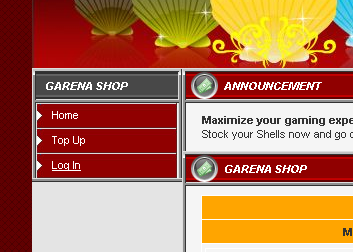
• Go to Shop.Garena.com

• Click login from the left sidebar navigation.

• Login using your banned Garena account/password.

• You will be redirected to Garena Shop.


• Buy Unban Card for 49 GG Shells & Use it.


• Your account will be unbanned.

Note: You need to have GG Shells in order to buy items from Garena shop. If you don't have, just top it up.

Tuesday, September 8, 2009

How to install Warcraft 1.24b Patch ? ( Online Method )

How to install Warcraft 1.24b Patch: Warcraft 3 TFT 1.24b Patch Online Installation Guide. Warcraft 1.24b patch is released, Blizzard has quickly released this update after 1.24 patch. You can read online installation guide of 1.24b patch here.

Requirements:
• Original Warcraft 3 The Frozen Throne Copy/CD-Key (If you don't have it, Please use offline installation guide of this patch)
• Internet Connection (Broadband).

Steps:

• Start your Warcraft 3 TFT.
• Click Battle.net, select a rearm and connect.
• A download status window will pop-up, let it download the update..

• After the download completes another window will pop-up asking for confirmation to restart your Warcraft 3, Click restart!

• You Warcraft 3 will be restarted and you will be patched to Warcraft 1.24b Patch
• Enjoy :)

How to get Axe in random - Dota Bug

Random Axe
There is amazing bug in DotA by using it you can get Axe (Mogul Kahn) in random. This is a great news for Axe lovers, you can get Axe by doing random just by performing few steps. Taking random hero gives you extra 200 gold which really matters in starting of the game. Don't miss to try out this cool stuff or it gets fixed in Dota 6.62b Follow these simple steps to perform this bug.

Requirements:
• Be a Host Or Co-ordinate with host.
• -ah (anti-hack command)
• -ap (AllPick mode)

Steps:
• We already know that the countdown timer of creeps spawn starts from 2 minutes after the game mode selection.
• Type "-random" when the timer reaches 1 minute 47 seconds.
• Ask the host to type "-ah" command immediately at 1 minute and 42 seconds or type it yourself when you are host.
• You will get Axe :)

Note: Don't be too late to type Anti-hack command because there is time limit for it.

credits: Salival